LAMMPS is the materials workhorse. We took a research-style cold-spray workflow, ran it as a multi-file job on QuickMDSim, and used it to tighten how the product handles potentials, long runs, and status.
The research we learned from
The Computational Materials Research Group published an open LAMMPS script for multi-particle electrostatic cold spray deposition of aluminum using the EAM/alloy potential:
- GitHub repository
- Mishra, A. (2026). Molecular Dynamics Simulation of Multi-Particle Electrostatic Cold Spray Deposition of Aluminum Using EAM Potential. Zenodo. https://doi.org/10.5281/zenodo.20061969
- Original work licensed CC BY-NC 4.0 — attribution required; non-commercial
Their setup is a fully atomistic model: FCC Al substrate, two spherical nanoparticles,
per-atom charges, a uniform electric field (fix efield), NVE particles /
NVT substrate, and per-atom von Mises stress dumps across approach → impact → relax.
That is the class of materials workflow QuickMDSim should make easy.
How it ran on QuickMDSim
We adapted the idea into an educational project and submitted it from
app.quickmdsim.com. The job runs
mpirun lmp in a Cloudflare container. Job
f023e8c3-b24b-47ca-9339-c74e7a569126:
- 994 atoms of FCC aluminum (EAM/alloy,
Al99.eam.alloyuploaded with the input) - 272 atoms in the two nanoparticles
- 23 seconds wall time on one vCPU
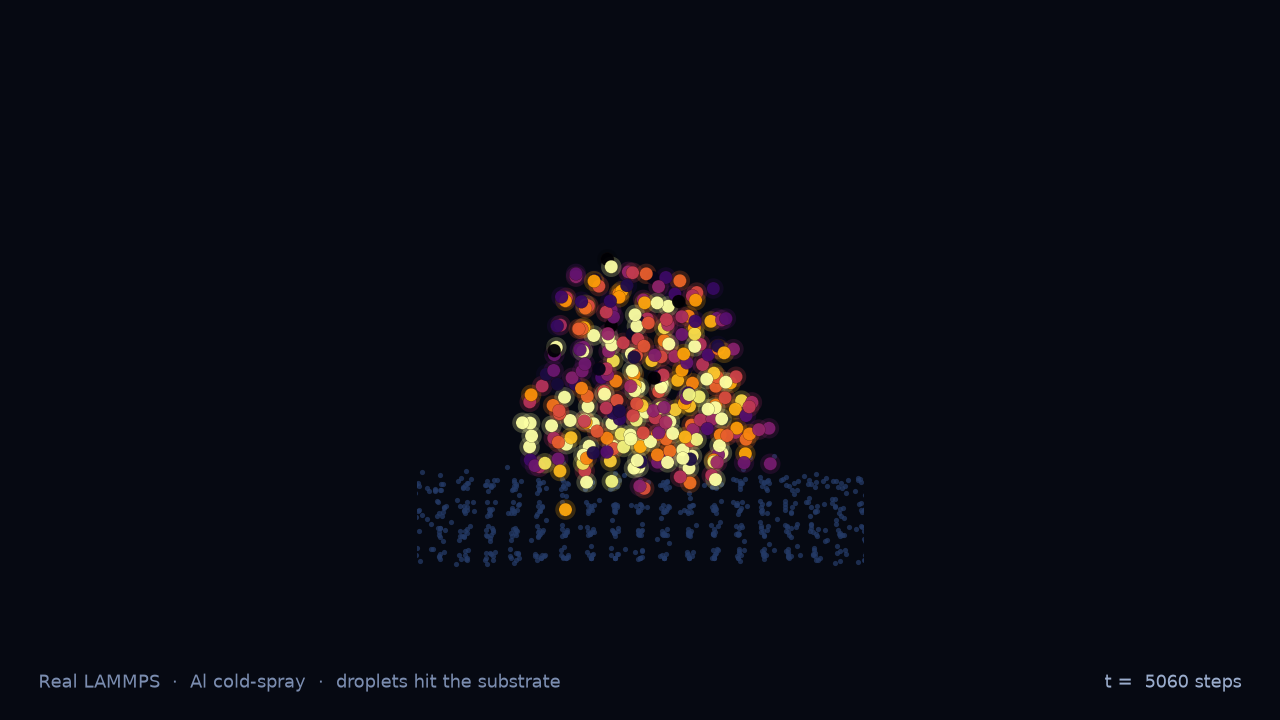
- The droplets reach the slab at ~2.4 ps and deform into it
- Phase dumps: approach → high-frequency impact → relax, with von Mises and pressure
What this workflow needs from the product
Their physics recipe is a checklist of what a materials user actually needs. QuickMDSim now supports that path:
1. Multi-file projects are first-class
Materials jobs almost never are a single .lammps file.
pair_coeff * * Al99.eam.alloy Al needs the potential sitting next to the
input. QuickMDSim stages every project file into the job workdir. Upload
Al99.eam.alloy — or any read_data file — by name. Potentials
stay in the project; the container image does not ship them.
2. Long jobs do not block the queue
A multi-minute EAM impact is normal for materials MD. The container accepts the
job immediately (HTTP 202) and runs LAMMPS in the background. The queue stays free;
the job callbacks /set_status when LAMMPS finishes.
3. Status and credits follow real wall time
When the run completes, outputs land in R2, the job flips to done, and credits decrement from actual vCPU-seconds — including long materials jobs.
Demo files
The educational project lives in the repo at
demos/cold-spray-al/:
input.lammps— primary script (charges, efield, phase dumps, stress)Al99.eam.alloy— Mishin Al EAM setfl potential (upload this with the input)README.md— credit, geometry notes, OVITO tips
Regions use units box so Angstrom sizes stay Angstroms after
lattice fcc. The demo is sized for a free-tier run; scale the box
up for research geometries.
How to try it
- Open app.quickmdsim.com and create a project
- Add
input.lammpsas the primary file andAl99.eam.alloybeside it - Run the job — download
dump.impact.lammpstrjand color byv_von_misesin OVITO
Credit
Physics idea, parameter choices, and analysis structure are inspired by Mishra (2026). If you use their geometry or analysis in research, cite their Zenodo record and respect the CC BY-NC 4.0 terms. Our demo script and product changes are part of QuickMDSim; the goal is to make workflows like theirs easier to run without a cluster queue.